Ceytrex Tickets - Event Ticketing and Check-in Software for Sri Lanka
Most event organisers in Sri Lanka still sell tickets through a mix of bank transfers, WhatsApp screenshots, and a spreadsheet at the door. Ceytrex Tickets replaces that with online sales, QR check-in, and real-time analytics - built for the way Sri Lankan events actually run.
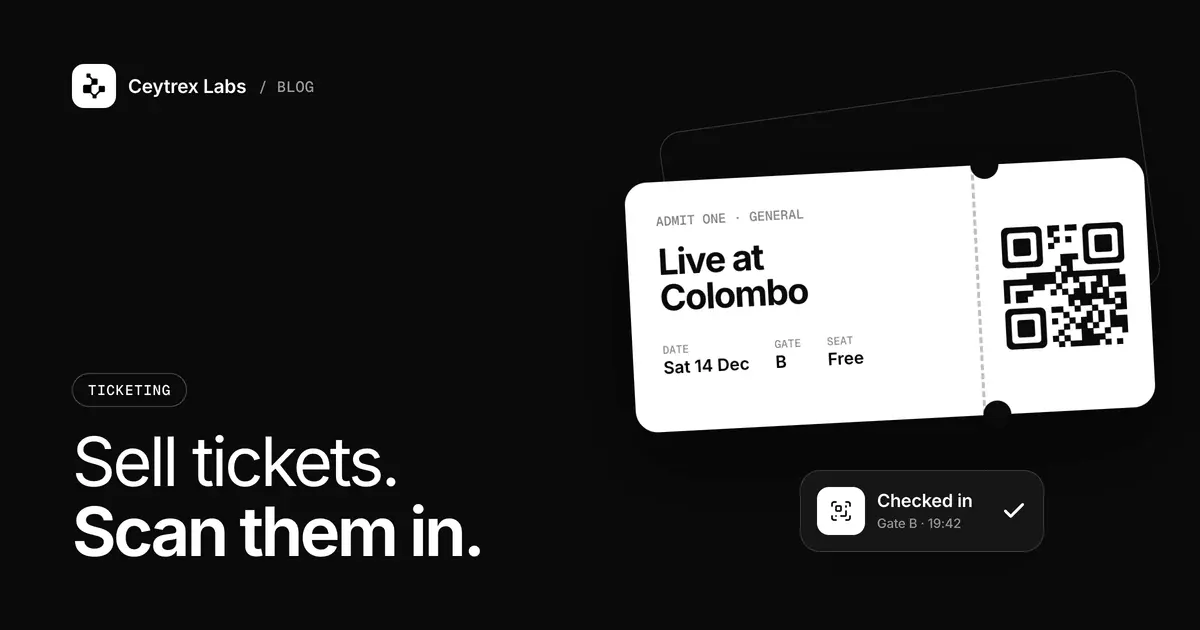
A school concert, an OBA dinner dance, a Rotary fundraiser or a union AGM usually runs ticket sales the same way: a committee member collects bank transfer slips on WhatsApp, someone keeps a spreadsheet, and on the night a teacher ticks names off a printed list at the gate. This guide walks a committee through moving that process online with Ceytrex Tickets, what it costs, and a checklist for event day.
Quick answer: Ceytrex Tickets gives your event a branded page where buyers pay by card in LKR through Ceytrex Pay and receive a QR ticket by email; door staff scan it on any phone. Ceytrex Labs sets up each event for a one-time fee of LKR 25,000-150,000 depending on scope, plus 5% of paid ticket sales. Free tickets carry no fee. You can try both the buyer and organizer side on the live demo before you talk to us.
Where manual ticket sales go wrong
Bank transfers and WhatsApp work for a small gathering. As an event grows, the same few problems appear in nearly every committee we talk to:
- Reconciliation: matching transfer slips to names and ticket types by hand, often from screenshots that do not show who paid.
- Overselling: two committee members sell the last table at the same time because nobody has a live count.
- The gate: a queue forms while someone searches a printed list, and a forwarded screenshot of a ticket is hard to tell from the real one.
- Reporting: after the event, the treasurer needs to show where every rupee came from, and the records are spread across phones.
How it works for buyers and for the committee
| Step | Before (manual) | With Ceytrex Tickets |
|---|---|---|
| Buying | Bank transfer, then send the slip on WhatsApp | Pay by card in LKR on the event page, no account needed |
| Ticket | A name on a list, or a printed ticket | QR ticket by email, findable later in My Tickets with a one-time email code |
| Stock | Counted by hand | Each ticket type has its own stock; inventory is held while a buyer pays, so it is not double-sold |
| Extra details | Asked over WhatsApp | Custom checkout questions: student name and grade, membership number, meal preference |
| Gate | Name lookup on a printed list | Camera scan or manual code entry on any phone; the scanner shows if a code was already used |
| Records | Spreadsheet and screenshots | Payments ledger with every order, its 5% fee, and cleared and pending income |
The organizer dashboard also covers early bird, VIP, couple and table ticket types with sales windows and per-buyer limits, merchandise with sizes (or a free souvenir bundled with a ticket), email campaigns to all buyers or to checked-in guests, per-event analytics and an activity log of check-ins and organizer actions. The full list is on the Ceytrex Tickets features page.
Moving your event online: a step-by-step plan
- Try the demo together. Open the demo event on a committee member's phone and take the Free Pass to see the buyer flow. Then sign in to the demo organizer dashboard (the demo sign-in is shown on that page) and scan your own pass with the check-in scanner.
- Decide the ticket types. List every price and who it is for: early bird, general, VIP, couple, table of ten, free passes for staff and performers. Set how many of each are available and when sales close.
- Decide what to ask at checkout. Keep it short. A school might ask for the student's name and grade; an association might ask for a membership number. The system collects these but does not check them against your records, so your office still verifies them.
- Agree who pays the 5%. Some committees add it to the ticket price and some absorb it. This, and how card processing is handled, is agreed in your quote.
- Ask us for a quote. Self-signup is paused while the public demo runs, so Ceytrex Labs sets up your account and event page with you. Contact us with the event date, ticket types and any merchandise.
- Share the event link. Put it on your Facebook page, WhatsApp groups and any printed flyers. A QR code to the event page works well on posters; you can make one free with the Ceytrex Toolkit QR generator.
- Keep cash sales in the system. If some buyers will still pay cash at the school office, decide up front how those tickets are recorded so your stock count and the gate list stay correct. Talk to us about this when you set up.
What it costs
There is no monthly plan. You pay a one-time setup fee per event, LKR 25,000 to 150,000 depending on what the event needs (the number of ticket types, merchandise, checkout questions, branding and any custom domain), and 5% of each paid ticket sale. Free tickets carry no fee. The setup fee is invoiced and paid by card through Ceytrex Pay; amounts over LKR 50,000 are paid in parts on the same checkout. Pricing details are on the Ceytrex Tickets pricing page.
| Illustration: a school concert | Amount (LKR) |
|---|---|
| 400 tickets at LKR 1,500 | 600,000 ticket sales |
| Platform fee, 5% of paid sales | 30,000 |
| 60 free passes for staff and performers | 0 fee |
| One-time setup fee (depends on scope) | 25,000 - 150,000 |
This is an illustration computed from the published prices, not a quote. Payments from ticket sales clear within five days, and the ledger shows what has cleared and what is still pending, which helps when you need to pay the sound company or the venue.
Event-day checklist
- The week before: send an email campaign to all buyers with the date, time, gate, parking and a reminder to have the QR ticket ready on their phone or printed.
- Scanner phones: pick the committee members who will scan, make sure each can sign in to the organizer account on their own phone, and test a scan the day before.
- Mobile data and battery: the scanner runs in a phone browser, so check signal at the gate and bring power banks. Manual code entry is the fallback if a camera struggles in low light.
- One queue per scanner: two or three phones at a wide gate move a crowd faster than one phone with a long line.
- Problem desk: put one person at a table with the dashboard open to look up a buyer who cannot find their email; they can retrieve tickets in My Tickets with a one-time code.
- Free passes: issue staff, performer and guest passes as free ticket types before the day, so they are scanned like everyone else and your attendance count is complete.
- After the event: export what the treasurer needs from the payments ledger and check attendance in the analytics view.
Refunds are a committee decision. Ceytrex Tickets itself does not issue refunds; the refund policy leaves any refund to the organizer, so agree your own rule for cancellations and postponements before you start selling and put it on the event page.
Telling attendees about the event
Ticket holders get their QR ticket and receipts by email, and you can email them again from the dashboard. If your audience is more likely to read an SMS than an email, for example parents or older members, a short reminder SMS from your own sender ID can help; see our guide to Ceytrex eSMS for how that works and what it costs.
Frequently Asked Questions
Do buyers need to create an account?
No. They pay on the event page and receive the QR ticket by email. If they lose it, they can find it again in My Tickets with a one-time code sent to the same email address.
What if a buyer has no email address or no card?
Tickets are delivered by email and paid by card, so a family member can buy on their behalf and show the QR code on their phone or a printout. If you expect a lot of cash buyers, plan with us how those sales are recorded.
Can a bulk order above LKR 50,000 go through, for example a company buying a table?
Yes. Card payments are processed by PayHere, which caps a single transaction, so Ceytrex Pay splits larger orders into consecutive payments on the same checkout page.
Can we use our own domain for the event page?
Events live on app.tickets.ceytrexlabs.com with their own shareable link. A custom domain is available as an add-on, which affects the setup fee.
Can we run several events in a year?
Yes. Once you go live, one organizer account holds multiple events, each with its own tickets, merchandise, branding and payment records. Each event has its own setup fee; ask us about packages for a series.
Try the live demo, then plan your event with us
See the buyer checkout and the organizer dashboard yourself. When you are ready, send us your event details for a setup quote.
Sources
- Ceytrex Tickets pricing - setup fee, 5% platform fee, payment clearing
- Ceytrex Tickets features - buyer and organizer features
- Ceytrex Tickets refund policy - who decides refunds
- PayHere - the card processor behind Ceytrex Pay