Ceytrex Toolkit - Productivity Utilities Built for Sri Lankan Businesses
The tools you use every day for text formatting, file conversion, and routine calculations should be fast, clean, and free from unnecessary registration requirements. Ceytrex Toolkit is a collection of browser-based utilities built for exactly that.
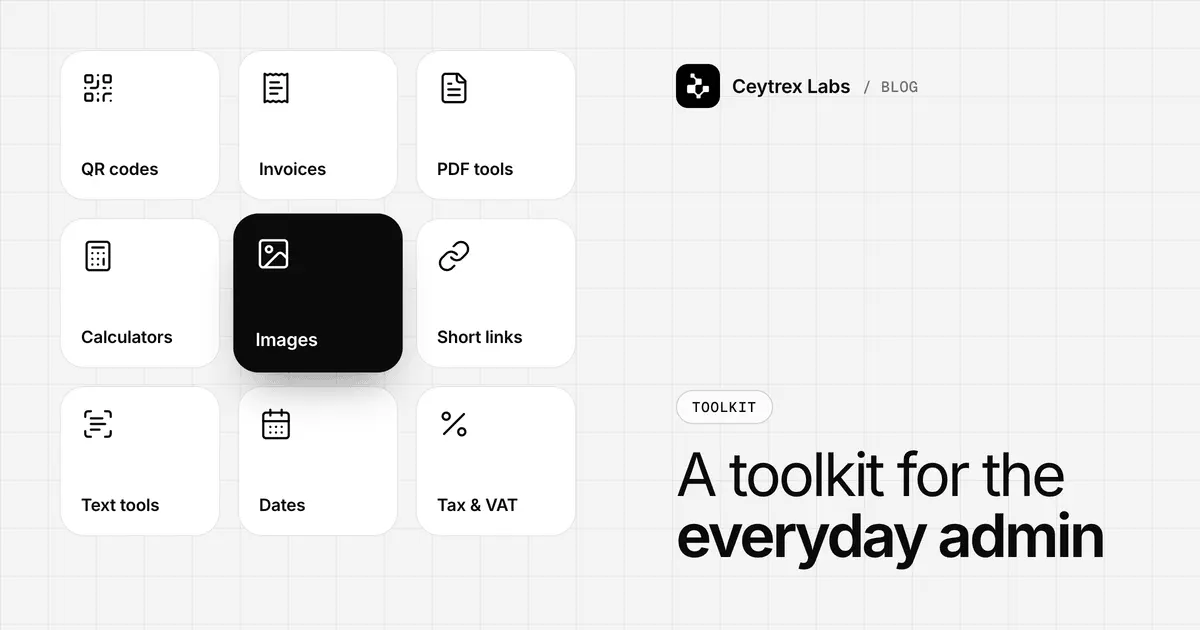
A shop owner in Kurunegala needs an invoice with her logo on it before the customer leaves. A tuition class needs a QR code for its WhatsApp number on a poster. An accountant needs three scanned receipts turned into one PDF for an email. None of these jobs is worth installing software or creating an account for, which is why we built Ceytrex Toolkit: 90+ free online tools, no sign-up, and most of them run in your browser.
Quick answer: Ceytrex Toolkit is a free collection of 90+ online tools from Ceytrex Labs, grouped into nine categories: Business, Sri Lanka, Marketing, Converters, Image, Text, Security, Translators and Developer tools. You do not need an account. Most tools process your files and text in your browser, so they are not uploaded; a small number (such as the translator and URL scanners) need a server request and say so in the privacy policy.
What is in the Toolkit
The tools are grouped by the job you are trying to do. These are the categories as they appear on tools.ceytrexlabs.com, with examples of the tools inside each one.
| Category | Examples of tools | Typical use in a small business |
|---|---|---|
| Business | Invoice generator, GST/VAT calculator, profit, ROI and percentage calculators, loan EMI calculator, currency converter, LKR exchange rates | Quick invoices and quotes, checking margins, comparing a lease or loan |
| Sri Lanka | NIC decoder, APIT (PAYE) estimator, EPF/ETF calculator, SSCL and VAT calculator, electricity bill estimator, stamp duty calculator, public holidays, land area converter (perches to square feet), phone number validator | Payroll checks, pricing with tax, planning around Poya days and holidays |
| Marketing | QR code generator, WhatsApp link builder, UTM link builder, email signature generator, social media image resizer, favicon and meta tags generators | Posters, shop-counter QR codes, tracked ad links, a proper email signature |
| Converters | Images to PDF, PDF to images, image format converter, unit and time zone converters, CSV/JSON/YAML/XML converters, QR to Apple Wallet and Google Wallet | Sending scanned documents as one file, posting a PDF page on social media |
| Image | Image compressor, resizer, cropper, watermarker, EXIF metadata viewer | Shrinking product photos for a website or a portal upload limit |
| Text | Word counter, case converter, duplicate line remover, text diff checker, slug maker | Cleaning up a customer list, checking two versions of a document |
| Security | Password strength checker, secret key generator (plus a password generator under Text) | Setting strong passwords for staff email and hosting accounts |
| Translators | Language translator, Sinhala Unicode to FM/DL font converter, NIC decoder | Getting Sinhala text into older design software for print |
| Developer | JSON viewer, regex tester, JWT decoder, hash and UUID generators, DNS lookup, webhook tester | Checking DNS after a domain change, debugging an integration |
Five everyday jobs, step by step
1. Make an invoice with your logo
- Open the invoice generator and upload your logo.
- Fill in your business and customer details, then add each line item with quantity and rate.
- Add a discount or a tax rate if you need one; subtotal, tax and total are calculated as you type.
- Download the PDF or print it directly. You can also save the invoice in your own browser and load it again later.
Saved invoices live in your browser's local storage, not on our servers. That keeps them private, but it also means they are not backed up: if you clear your browser data or switch phones, they are gone. Keep the downloaded PDFs somewhere safe.
2. Put your WhatsApp number on a poster
- Use the WhatsApp link builder to create a wa.me click-to-chat link with your number (country code 94) and an optional pre-filled message such as "Hi, I saw your poster".
- Test the link on your own phone.
- Turn it into a QR code, or open the QR code generator, which also makes WiFi, phone, SMS, email and vCard codes.
- Download a PNG for social media, an SVG for a designer, or a print-ready A4 PDF.
The QR codes are static: they point straight at your link with no tracking redirect, so they keep working even if you never visit the Toolkit again. The trade-off is that you cannot change where a printed code points. If your number might change, print the code only after it is settled.
3. Send several scans as one PDF
Drop up to 50 photos or scans into Images to PDF, put them in order, choose A4 or fit-to-image, and download one file. This is useful for sending receipts, quotations or copies of documents that a bank, supplier or government office asks for. Going the other way, PDF to images turns each page of a PDF into a PNG or JPEG, which helps when you want to post one page of a price list on Facebook.
4. Shrink product photos before uploading
Phone photos are often several megabytes each. The image compressor lets you set quality, convert to WebP or JPEG and set a maximum width in one step, and shows how much each file shrank. Smaller images make your website load faster on mobile data, which we cover in the website speed guide.
5. Check tax and payroll figures before you commit
The Sri Lanka category includes an SSCL and VAT calculator, an APIT (PAYE) estimator and an EPF/ETF calculator. They are built for quick estimates: pricing a quote, checking what a salary costs the business, or sanity-checking a payslip. Tools that depend on official rates show where the rate came from and when it was last checked. For filing and registration decisions, the Inland Revenue Department and your accountant remain the source of truth.
Privacy: what stays on your device
Most tools work entirely in your browser using JavaScript. When you compress a photo, build a PDF or generate a QR code, the file is processed on your own phone or computer and is not uploaded. That matters if you handle customer NIC copies, payslips or contracts.
A few tools cannot work without a server request, and the Toolkit privacy policy lists them:
- URL fetch and page scan tools, such as the accessibility checker, robots tester and Open Graph preview
- The language translator, which sends your text to a third-party translation service to get a result
- Optional URL shortening, only when you choose to create a short link
- The webhook tester, which temporarily stores requests sent to your test endpoint so you can inspect them
Practical rule: do not paste confidential text into the translator, and use the browser-based tools for anything containing personal data. If your business handles a lot of personal data, our guide to ID Vault and Sri Lanka's data protection law explains the obligations that start in 2027.
Where the Toolkit is not the right tool
- Accounting and records: the invoice generator does not number invoices across devices, track payments or keep books. Once you issue invoices daily, use accounting software.
- Official tax filing: estimators are for planning. File through IRD systems and follow your accountant.
- Shared team work: nothing is synced between staff because nothing is stored on a server. Two people cannot work on the same invoice.
- Dynamic QR codes: if you need to change the destination of a printed code or count scans, you need a different service.
Frequently Asked Questions
Is Ceytrex Toolkit free, and do I need an account?
Yes, the tools are free and there is no sign-up. You open a tool and use it. Some features, such as saved invoices or saved WhatsApp links, are stored in your own browser rather than in an account.
Can I use it on my phone?
Yes. The site works in a mobile browser, so you can make a QR code or compress a photo on your phone. Large PDFs and big batches of images are faster on a computer.
Will my Sinhala text print correctly?
Many older design and print programs expect legacy Sinhala fonts rather than Unicode. The Sinhala Unicode converter turns Unicode text into text for FM-Abhaya, FM-Malithi, DL-Manel, DL-Malathi or Kaputa; paste it into your software and apply the same font. A Tamil converter does the same for Bamini.
Are the LKR exchange rates official CBSL rates?
No. The LKR exchange rate tool shows mid-market reference rates from a third-party rates provider. For official indicative rates, check the Central Bank of Sri Lanka; your bank's buying and selling rates will differ again.
Can I request a tool?
Yes. Send a short description of what you need through the contact page or WhatsApp. We cannot promise every request, but tools that several businesses ask for are the ones we add first.
Open Ceytrex Toolkit
Invoices, QR codes, PDFs, images and Sri Lanka calculators. Free, no sign-up, and most tools run in your browser.
Sources
- Ceytrex Toolkit - tool list and categories
- Ceytrex Toolkit privacy policy - which tools run in the browser and which need a server request
- Inland Revenue Department - official VAT, SSCL and APIT rules
- Central Bank of Sri Lanka: exchange rates - official indicative rates