Free AI Business Growth Scanner - Find Out What Is Actually Costing You Leads
Most Sri Lankan business owners know something is off about their online presence but cannot pinpoint what. The free AI Business Growth Scanner takes a few minutes, scores your presence out of 100 and writes a report on the highest-impact fixes - no account needed.
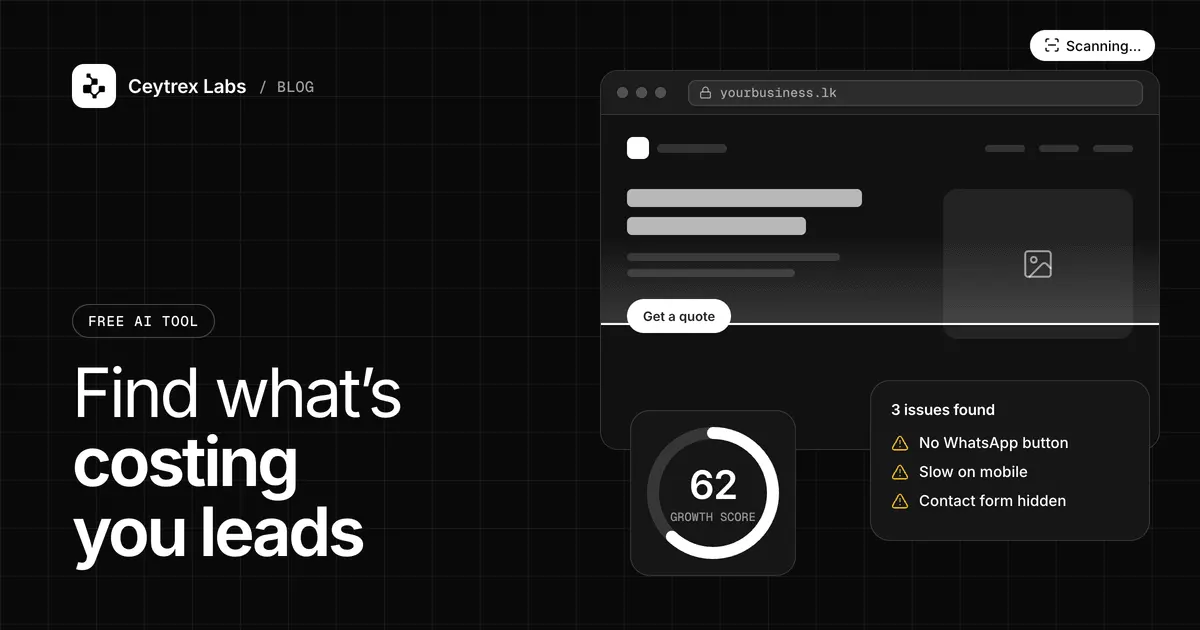
Inquiries are slower than they should be, a competitor down the road seems to show up everywhere, and you are not sure whether to spend on a new website, ads or something else. The free AI Business Growth Scanner is a short questionnaire that turns your answers into a score out of 100 and a written report on what to fix first. This guide explains exactly what it asks, how the score is calculated, and what to do about each area it checks.
Quick answer: The scanner asks about eight parts of your online presence (website, Google Maps, social media, WhatsApp Business, reviews, online ordering or booking, an inquiry form or live chat, and how you get customers) and adds fixed points for each one you have, up to 100. An AI model then writes a report: your main problem, 3-6 missing points ranked by priority, a next step and a suggested Ceytrex solution. It is free with no account, but you enter your name and email, and the Ceytrex team is notified so we can offer a follow-up.
What the scanner asks
The form has four steps and takes a few minutes:
- Your business: name, category (16 options, from restaurants and salons to tuition centres and construction) and city or area.
- Online presence: do you have a website, are you on Google Maps, are you on Facebook or Instagram, do you use WhatsApp Business. You can add your website, Maps and Facebook links and your WhatsApp number.
- Customer experience: do you have online reviews, can customers book or order online, do you have an inquiry form or live chat, and how you mainly get new customers (word of mouth, social posts, Google Search, WhatsApp, walk-ins, multiple channels or not sure).
- Your challenge and contact: your main business challenge (for example not enough inquiries, no proper website, customers not trusting you online, too many WhatsApp messages, needing online booking), plus your name and email.
How the score is calculated
The score is a simple checklist, not a judgement by the AI. Each yes answer (or a link you provide) adds a fixed number of points:
| Area | Points | Counted when |
|---|---|---|
| Website | 20 | You have a website or enter its URL |
| Google Maps / Business Profile | 15 | You are listed or enter a Maps link |
| Inquiry form or live chat | 15 | Visitors have a way to contact you from the site |
| Social media | 10 | You are on Facebook or Instagram |
| WhatsApp Business | 10 | You use WhatsApp Business or enter a number |
| Online reviews | 10 | You have reviews on Google or Facebook |
| Online ordering or booking | 10 | Customers can order or book online |
| Marketing method | 10 | You pick any main method other than "Not sure" |
The report places you in one of four bands: 0-30 very weak digital presence, 31-55 basic presence with weak conversion, 56-75 a good foundation that needs optimisation, and 76-100 a strong presence ready for automation and growth.
Two honest limits: the scanner does not visit your website or check your listings, so the score reflects what you tell it. And a yes is a yes; a slow, outdated website scores the same 20 points as a fast one. Treat the score as a map of gaps, then use the guides below to check quality.
What you get back
- Your score out of 100, its band and a one-line summary
- The main problem holding the business back, explained in plain English
- Between three and six missing points, each with why it matters and a High, Medium or Low priority
- A recommended next step
- A suggested Ceytrex Labs solution with what it would include, which you are free to ignore
The written parts are generated by a Google Gemini model from your answers and the computed score, and it is instructed not to promise sales, rankings or specific growth numbers. AI-written text can still be wrong or generic, so check it against what you know about your business.
How to act on each area
Website (20 points) and inquiry form (15 points)
Together these are 35 of the 100 points, because they are where interest turns into an inquiry. If you have no site, a focused landing page is often enough to start; see landing page vs full website. If you have one that gets visits but no inquiries, work through why business websites do not generate leads, and check speed on mobile data with our website speed guide. Every page should have a phone number, a WhatsApp button and a short form.
Google Maps (15 points) and reviews (10 points)
A Google Business Profile is free and is how people find you when they search for a service near them. Adding or claiming one is done at Google, with a verification step (Google Business Profile Help). Our Google Business Profile setup guide covers categories, photos and asking customers for reviews. For ranking beyond Maps, read Google SEO for Sri Lankan businesses.
WhatsApp Business (10 points)
The free WhatsApp Business app adds a business profile, catalogue, greeting and away messages, and quick replies. Set those up first. If messages arrive faster than you can answer, read how response time affects sales. If customers keep asking where their order is, automatic order and booking updates on the official WhatsApp Business Platform are worth a look; the WhatsApp Business API guide explains when the official platform makes sense.
Social media (10 points) and marketing method (10 points)
Having a Facebook or Instagram page earns the points; using it consistently is what matters. If you answered "Not sure" about where customers come from, ask every new customer how they found you for a month and write it down. Before you spend on ads, read how much to spend on Facebook ads.
Online ordering or booking (10 points)
This does not have to mean a full online shop. For a salon or clinic, a booking form that sends a confirmation may be enough; for a shop, a catalogue on WhatsApp plus a payment link can work. A full e-commerce site is a bigger step that makes sense once demand is proven; see what a website costs.
Your data
You do not create an account, but your name and email are required, and your answers, score and the report summary are sent to the Ceytrex Labs team so we can offer a free improvement plan. The scanner page states that we do not sell your data or share it with third parties. Scans are rate limited to a few per person in a short period to prevent abuse.
Frequently Asked Questions
Does the scanner check my actual website or Google listing?
No. It scores the answers you give and any links you enter are passed to the AI as context, but it does not crawl your site or verify listings. For a technical check of speed, run your site through PageSpeed Insights.
Can a business with no website use it?
Yes. Businesses without a website often get the clearest report, because the biggest gaps are obvious and the report suggests which to fill first.
Why might two businesses with the same score get different advice?
The points are fixed, but the AI also reads your category, city, how you get customers and the challenge you picked. A restaurant and a law firm with the same gaps get different suggested next steps.
Should I re-run the scan after making changes?
Yes. Re-running after you add a Google Business Profile or an inquiry form shows the new score. Wait until a change is actually live, and remember the score only counts whether something exists.
Will someone call me after the scan?
The team is notified and may email you to offer an improvement plan. There is no obligation to buy anything, and you can simply use the report yourself.
Get your Business Growth Score
Four short steps, a score out of 100 and a written list of what to fix first. Free, no account.
Sources
- Google Business Profile Help: Add or claim your Business Profile - free listing and verification
- WhatsApp Business app - free business profile and messaging tools
- PageSpeed Insights - Google tool to test page speed
- Google Search Central: SEO starter guide - basics of appearing in Google Search