WhatsApp Response Time: The Hidden Sales Metric Most Sri Lankan Teams Ignore
If a prospect messages your business and waits three hours for a reply, you are often competing after they already contacted two other sellers. Response time is not customer service polish. It is sales infrastructure.
Most teams improve ad creatives, targeting and pages before they fix the simplest bottleneck: how long a new enquiry waits on WhatsApp before someone answers. A customer asking about a sofa, a cake or a tuition class usually messages more than one seller, and the first useful reply often wins. This guide covers how to measure your first-response time, the targets we suggest, the WhatsApp Business app tools that help, and when an AI first reply makes sense.
Quick answer: Measure the time from a new customer's first message to your first useful reply, using a sample of chats each week. Aim for minutes, not hours, during business hours, and an automatic acknowledgement with a promised reply time outside them. Set up greeting and away messages, quick replies, labels and linked devices in the WhatsApp Business app, give each shift one named owner, and consider an AI assistant such as Ceytrex Agent for instant first answers with handover to staff.
Why first-response time matters
The idea is not new. A Harvard Business Review study of how companies answered web enquiries found that most were "not responding nearly fast enough", and that the chance of reaching and qualifying a lead fell quickly as the wait grew (HBR: The Short Life of Online Sales Leads). That research was on US web forms, not WhatsApp in Sri Lanka, so treat it as direction, not a benchmark. The pattern matches what we see in chat-based sales: an enquiry is warmest in the minutes after someone taps your ad or your number, and every hour of silence gives them time to buy elsewhere or lose interest.
Two definitions keep the measurement honest. First response is any reply from your side. First useful response is a reply that answers the question or moves the sale forward (a price, availability, a delivery charge). An automatic "Thanks, we will reply soon" is a first response, not a useful one. Track both.
Measure where you are today
- Once a week, pick 20 new enquiries from different days and times, including evenings and weekends.
- For each, note the time of the customer's first message, your first reply, and your first useful reply.
- Calculate the median (the middle value), not the average. One chat that waited until the next morning will distort an average.
- Split by source if you can: ad chats, organic chats, and returning customers.
- Note the time slots where waits are longest. That tells you where staffing or automation is needed, not just that you are "slow".
Twenty chats takes about half an hour to review and is enough to see a pattern. Keep the same method each week so the trend is meaningful.
Suggested targets (our recommendations, not industry benchmarks)
| Enquiry type | Suggested first useful reply | Why |
|---|---|---|
| New chat from a paid ad, business hours | Within 5-10 minutes | You paid for the click and the person is still on their phone |
| New organic chat, business hours | Within 15-30 minutes | Still warm; often comparing a few sellers |
| Returning customer or existing order | Within an hour | They already trust you, but should not have to chase |
| Outside business hours | Instant automatic acknowledgement; human reply early next working hour | Sets expectations so they do not assume you are closed for good |
Start with a target your team can hit most days, then tighten it. A realistic 15 minutes that you meet beats a 2-minute promise nobody keeps. On Poya days and public holidays, set an away message that says when you will be back.
WhatsApp Business app tools that cut waiting time
The free WhatsApp Business app already has most of what a small team needs (WhatsApp Business: app features):
- Greeting message: sent automatically to new customers, or to those who return after 14 days without messaging (WhatsApp Help: greeting messages). Use it to ask for the one detail you always need, such as "Which item and which area?".
- Away message: set under Tools, on a schedule or outside business hours. The business-hours schedule only appears once your hours are set in the profile, and the phone needs an internet connection to send it (WhatsApp Help: away messages).
- Quick replies: saved answers for prices, delivery charges, bank details and directions. You can store up to 50 (WhatsApp Help: quick replies). This is usually the biggest speed gain for the least effort.
- Labels: up to 20, for example New, Quoted, Waiting for payment, Needs owner (WhatsApp Help: labels). Filtering by New at the start of each shift shows what is waiting.
- Linked devices: link up to four devices to the main phone, so staff can answer from a computer at the counter or office (WhatsApp Help: How to link a device). The primary phone has to be used at least every 14 days to keep them connected.
A team routine that keeps replies fast
- One named owner per shift. "Everyone watches the chats" usually means nobody does. Write the rota down, including lunch and weekends.
- A handover note between shifts: which chats are waiting on a price, which customer was promised a call.
- An escalation rule: if a chat needs the owner (a discount, a custom order), the person on shift replies within the target anyway ("Let me check with our manager, I will come back by 3 PM") and labels it Needs owner.
- Quick replies reviewed monthly: prices and delivery charges change; an outdated quick reply costs more trust than a slow one.
- A daily end-of-day sweep: filter by New and Quoted and clear what is left, so nothing waits until tomorrow without a reply.
- Weekly review of the 20-chat sample: share the median with the team and look at the slowest chats together, without blame.
A slow reply is usually a process problem, not a people problem. A rota, saved answers and a clear owner fix more than asking staff to "be faster".
Instant first replies with Ceytrex Agent
When chats arrive faster than people can answer, or mostly outside working hours, an AI assistant can give the first useful reply. Ceytrex Agent answers on WhatsApp and on your website in English, Sinhala or Tamil, using your own catalogue, prices and policies. When it cannot help, or the customer asks for a person, it alerts the staff WhatsApp numbers you choose with who the customer is and what they asked.
- How it connects: you link your number by scanning a QR code, the way WhatsApp Web works. It is not Meta's official API, so there are no Meta per-message fees, but it is an unofficial connection and WhatsApp can restrict numbers it thinks are automated. Use a dedicated business number.
- What it will not do: it only replies to people who message first and never sends bulk or promotional messages. Prices and stock come only from your catalogue; if it does not know, it says so.
- Plans: Starter LKR 15,000 a month (500 customers), Growth LKR 30,000 (1,500) and Pro LKR 50,000 (3,500), with add-on packs from LKR 4,000. There is a live demo that needs no sign-up.
Whatever you automate, keep a clear path to a human. WhatsApp's Business Messaging Policy expects automated experiences to offer prompt, clear escalation paths such as a transfer to a person, a phone number or an email (WhatsApp Business Messaging Policy).
Where automatic order updates fit (and where they do not)
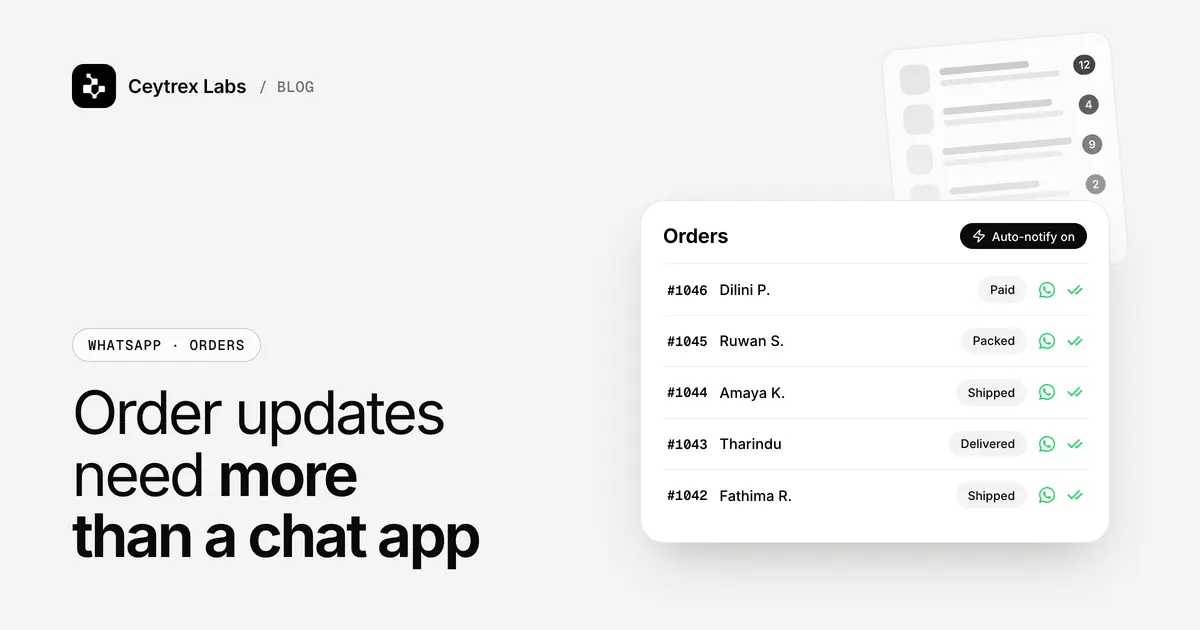
Automatic order notifications do not route or assign leads, and they are not a shared inbox. Their job starts after the sale: order confirmations, booking reminders, payment receipts and delivery updates sent automatically when your system records the event. That still helps response time indirectly, because every "did you get my payment?" or "where is my order?" chat they prevent is one less chat competing with new enquiries. See which update to send at each order stage and how reminders fit together. If you need lead tracking across a team, our post on a WhatsApp CRM for small businesses covers the options.
Frequently Asked Questions
Does a greeting message count as a first response?
It counts as a first response, and it stops the customer feeling ignored, but it is not a useful one. Measure the first reply that answers the question separately, and use the greeting to collect the detail you need so that reply can be quicker.
Do I need a big team to reply in minutes?
No. One person with quick replies ready, a computer linked to the business number and a clear rota can hit short targets during business hours. Volume beyond that is where an AI first reply or a second person on a linked device helps.
Should we reply to chats late at night?
Use an away message that says when you will reply, and answer early the next working morning. If many of your ad chats arrive at night, either schedule the ads to staffed hours or use an AI assistant for first answers.
Can Ceytrex Agent and the WhatsApp Business app run at the same time?
Agent links like WhatsApp Web, so staff can still see and reply to chats in the app. Pause the bot from the dashboard when you want people to take over completely.
What should I track besides response time?
Chats that got no reply at all, and how many enquiries became orders each week. A fast reply that never quotes a price does not help; the conversion number keeps the speed honest.
Give every enquiry an answer in seconds.
Ceytrex Agent replies in English, Sinhala and Tamil from your own catalogue and hands the chat to your team when a person is needed. Try the live demo, no sign-up.
Sources
- HBR: The Short Life of Online Sales Leads - research on how quickly companies answer web enquiries
- WhatsApp Business: app features - greeting, away messages, quick replies, labels
- WhatsApp Help: greeting messages - who receives greetings
- WhatsApp Help: away messages - schedules and requirements
- WhatsApp Help: quick replies - saved replies, up to 50
- WhatsApp Help: labels - up to 20 labels
- WhatsApp Help: How to link a device - up to four linked devices
- WhatsApp Business Messaging Policy - escalation paths for automated chats