What Makes a Good Business Website in 2026 - A Practical Checklist for Sri Lankan Businesses
A scored, 12-point audit to run before a new or redesigned site goes live, and once a year after that: ownership, security, findability, mobile experience, accessibility, content accuracy, privacy and measurement.
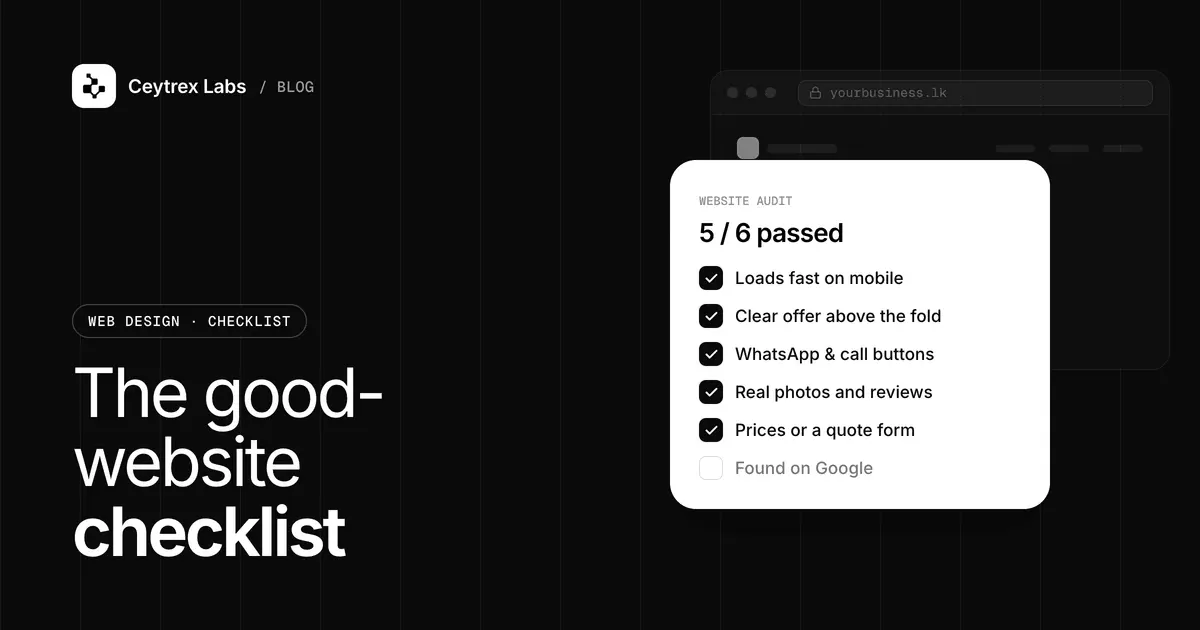
A new website usually gets checked for how it looks and little else. The problems that cost money later, such as a domain in the developer's name, pages Google cannot index, forms nobody tested or no backups, are the ones nobody looked at. This is the 12-point, scored audit we suggest running before a new or redesigned site goes live, and again once a year.
Quick answer: Score each of the 12 checks below 0 (missing), 1 (partly done) or 2 (done and verified), for a total out of 24. Fix every 0 in the ownership and security group before launch. A site scoring 20 or more is in good shape; under 14 means it is not ready to launch. If your site is already live and getting traffic but no enquiries, start with our lead diagnosis guide instead.
When to Run This Audit
- Before launch: on the staging site, with the developer, before the final payment.
- After a redesign or platform change: moving from a builder to WordPress, or WordPress to Next.js, is when redirects and tracking break.
- Once a year: at hosting or domain renewal time, which is a natural reminder.
Group A: Ownership and Security
1. You own the domain, hosting and logins
The domain should be registered to your business, with an email address you control, and you should hold admin logins for the hosting, the site and any analytics. Note the renewal dates. A lapsed domain takes the site and email offline. Score 2 if everything is in your name and you have tested each login; 1 if some accounts still sit with the developer; 0 if you do not know who holds the domain. You can check prices and renew on our Domains page.
2. HTTPS everywhere, with no mixed content
Every page should load over https:// and the http:// version should redirect to it. Also look for mixed content: a secure page that still loads images or scripts over plain HTTP, which browsers may block or flag. Google lists secure delivery as part of page experience. Score 2 if all pages are HTTPS with no warnings; 1 if some pages show warnings; 0 if the site is still on HTTP.
3. Backups exist and updates have an owner
Ask where backups are stored, how often they run and how a restore works, then confirm one restore has actually been tested. Agree who updates WordPress, plugins or framework packages, and how often. Score 2 if backups are automatic, restorable and someone owns updates; 1 if backups exist but have never been tested; 0 if nobody knows. Our maintenance plans cover this for sites we did and did not build.
Group B: Findability
4. Google can find and index the site
Verify the site in Search Console, submit the sitemap, and use URL Inspection on the homepage and one service page. A common launch mistake is leaving the staging setting that blocks search engines switched on. Score 2 if the sitemap is accepted and key pages are indexed; 1 if Search Console is set up but shows errors; 0 if it is not set up.
5. Every page has a unique title and description
Each page needs its own title and meta description that describe that page in plain words, following Google's SEO starter guide. Watch for ten pages all titled "Home" or the company name. If the site has moved, old URLs should redirect to their new equivalents. Score 2 if titles are unique and redirects are in place; 1 if some pages share titles; 0 if titles are default or missing.
6. Business details match everywhere
Your business name, address, phone number and opening hours should match exactly on the website, your Google Business Profile and your social pages. Mismatched numbers and old addresses confuse customers and search engines alike. Score 2 if all match; 1 if one source is out of date; 0 if there is no Business Profile. Our Business Profile setup guide walks through it.
Group C: Experience
7. The mobile layout works on real phones
Test on at least one inexpensive Android phone and one iPhone. Nothing should scroll sideways, text should be readable without zooming, buttons should be easy to tap, and menus and forms should work. Score 2 if every page passes on both phones; 1 if a few pages have issues; 0 if the site is hard to use on a phone.
8. Core Web Vitals are in the "good" range
Check the main pages in PageSpeed Insights. Google's current targets are Largest Contentful Paint at 2.5 seconds or less, Interaction to Next Paint at 200 ms or less and Cumulative Layout Shift at 0.1 or less (web.dev). A new site may not have real-user data yet, so use the lab result before launch and recheck after a month. Score 2 if all three are good; 1 if one needs improvement; 0 if any is poor. Our speed guide explains the fixes.
9. Accessibility basics are covered
Images that carry meaning have alt text, text has enough contrast against its background, the site can be used with a keyboard, and form fields have visible labels. These come from the W3C's WCAG guidelines, now at version 2.2, and they also help older visitors and anyone reading on a phone in sunlight. Score 2 if all four are met; 1 if two or three are; 0 if none were checked.
Group D: Content, Privacy and Measurement
10. Content is accurate, in every language you offer
Check prices, opening hours, staff names, service lists and photos. Placeholder text left from a template is surprisingly common. If the site is in Sinhala or Tamil as well as English, have a fluent speaker read every page rather than relying on machine translation, and confirm the fonts display correctly on phones. Score 2 if everything was checked this year; 1 if some pages are outdated; 0 if placeholder or wrong information remains.
11. A privacy notice that matches what the site collects
If the site has a contact form, analytics or ad pixels, it collects personal data. Sri Lanka's Personal Data Protection Act, No. 9 of 2022, as amended, sets rules for how organisations handle it, and the Data Protection Authority publishes the Act, its operational dates and guidance. At minimum, publish a privacy notice that says what you collect, why and how to contact you about it. Take advice on your own obligations. Score 2 if a current notice is linked from every page and forms; 1 if it exists but is a generic copy; 0 if there is none.
12. Measurement and forms are tested end to end
Submit every form and confirm the email arrives, tap every WhatsApp and phone link, and confirm analytics records each of these as a key event. Without this, you cannot judge whether the site works after launch. Score 2 if every route is tested and tracked; 1 if forms work but nothing is tracked; 0 if forms were never tested.
Scoring Sheet
| Check | Group | Score (0 / 1 / 2) | Must fix before launch? |
|---|---|---|---|
| 1. Domain, hosting and logins in your name | Ownership and security | __ | Yes |
| 2. HTTPS, no mixed content | Ownership and security | __ | Yes |
| 3. Backups tested, updates owned | Ownership and security | __ | Yes |
| 4. Indexed in Search Console | Findability | __ | Yes |
| 5. Unique titles, redirects in place | Findability | __ | Recommended |
| 6. Business details consistent | Findability | __ | Recommended |
| 7. Mobile layout on real phones | Experience | __ | Yes |
| 8. Core Web Vitals good | Experience | __ | Recommended |
| 9. Accessibility basics | Experience | __ | Recommended |
| 10. Accurate content in all languages | Content and privacy | __ | Yes |
| 11. Privacy notice | Content and privacy | __ | Yes |
| 12. Forms and tracking tested | Content and privacy | __ | Yes |
20-24: ready to launch; schedule the next audit in a year. 14-19: fix every "Yes" item scoring below 2 first, then the rest. Under 14: the site is not ready. Raise the gaps with your developer before signing off the final milestone.
Frequently Asked Questions
How long does this audit take?
For a site of up to about 15 pages, an owner can do it in an afternoon with a laptop and two phones. Checks 3 and 4 may need your developer or host to show you where backups and Search Console settings live.
If my site scores 24, will it rank and bring leads?
Not automatically. The checklist makes sure the site is owned, secure, findable and usable. Ranking also depends on content and competition, and leads depend on your offer and how quickly you reply. Use the lead diagnosis guide once the site has traffic.
What extra checks does an online store need?
Place a real test order with a card, confirm the confirmation email and stock update, and publish clear delivery, refund and returns terms. Also check that prices include or state VAT consistently and that checkout works on a phone.
Who should run the audit, the owner or the developer?
Both. The developer can confirm the technical items, but the owner should check ownership, content accuracy and the contact routes personally, since those are the ones nobody else is responsible for.
Our site is old. Should we audit it or rebuild?
Audit first. If most points can be raised to 2 with edits, keep the site. If the platform is no longer updated, the mobile layout fails or nobody can edit it, a rebuild may cost less over time. Our website cost guide shows what that would involve.
Launching a new site or redesigning an old one?
We build sites that pass this checklist before handover, with fixed prices in LKR and a 30-day bug-fix warranty.
Sources
- web.dev: Web Vitals - current Core Web Vitals thresholds
- web.dev: What is mixed content? - HTTPS pages loading HTTP resources
- Google Search Central: Understanding page experience - HTTPS, mobile and Core Web Vitals in Search
- Google Search Central: Get started with Search Console - sitemaps and URL Inspection
- Google Search Central: SEO starter guide - titles, descriptions and site structure
- Google Business Profile Help: Improve your local ranking - keeping business information complete and accurate
- W3C: WCAG 2 Overview - accessibility guidelines
- Data Protection Authority of Sri Lanka - Personal Data Protection Act, No. 9 of 2022, amendments and guidance